

In short
- Native to the HubSpot CRM, so bookings log to the contact record automatically
- Free meeting scheduler in HubSpot's free tools (one personal link, HubSpot branding)
- Round-robin and group scheduling on paid Sales Hub tiers
- Best fit: teams already running on HubSpot who want scheduling in the CRM
What is HubSpot Meetings
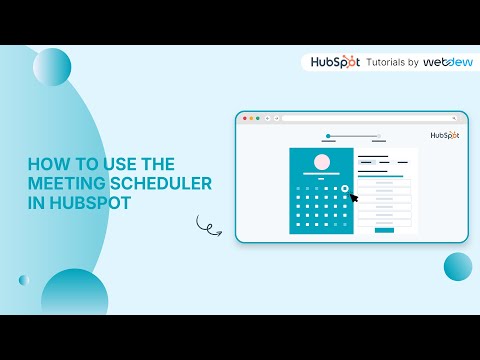
HubSpot Meetings, marketed as the Meeting Scheduler, is the booking tool built natively into the HubSpot platform. Prospects and customers self-serve a time from a shareable scheduling page instead of trading emails, and because it lives inside HubSpot, every booking syncs straight to the CRM: the meeting is logged on the contact record, and calendars (Google, Office 365, Exchange) sync in real time to prevent double-booking. It is part of Sales Hub, distinct from the broader HubSpot CRM, and is often what people mean by “HubSpot bookings”.
Where HubSpot Meetings fits in 2026
HubSpot Meetings is aimed at sales reps, customer-success teams, and any HubSpot user who wants scheduling and pipeline data in one system. For a sales or e-commerce stack already running on HubSpot, it removes a separate scheduling subscription like Calendly and keeps booking data, contact records, and follow-up automation in a single platform. Round-robin and group scheduling are available on paid Sales Hub tiers, while the free tier gives a single personal booking link with HubSpot branding. The value is highest when you are already a HubSpot customer; standalone schedulers can offer deeper scheduling-specific features.
FAQ about HubSpot Meetings
Is HubSpot Meetings free?
Yes, the meeting scheduler is included in HubSpot’s free tools. The free tier gives one personal meetings link with HubSpot branding. Removing branding, adding more links, and unlocking team features like round-robin require a paid Sales Hub plan.
How much does HubSpot Meetings cost?
The scheduler itself is free. Paid features come with Sales Hub, which starts around $7 to $20 per seat per month depending on billing, with higher tiers (Professional and above) adding advanced automation. See HubSpot’s sales pricing for current numbers.
Do I need a HubSpot subscription to use it?
No. You can use the free meeting scheduler with a free HubSpot account. A paid Sales Hub subscription only becomes necessary for team scheduling, multiple links, and removing HubSpot branding.
What is the difference between HubSpot Meetings and Calendly?
HubSpot Meetings is native to the HubSpot CRM, so bookings automatically sync to contact records and can trigger HubSpot workflows. Calendly is a standalone scheduler with a larger integration ecosystem and deeper scheduling features. If you already run on HubSpot, Meetings keeps everything in one place; otherwise Calendly is often more flexible.
Does HubSpot Meetings support round-robin scheduling?
Yes, round-robin and group (team) scheduling are available on paid Sales Hub tiers. The free tier is limited to a single personal booking link.
How does HubSpot Meetings sync with the CRM?
Because it is part of HubSpot, each booking is logged on the contact’s timeline in the CRM automatically, and it can enroll the contact in follow-up workflows. Calendars sync in real time with Google, Office 365, and Exchange to keep availability accurate.
How to use HubSpot Meetings?
In HubSpot, open the Meetings tool, connect your calendar, configure a meetings link with your availability and meeting types, then share or embed the link. Bookings appear on your calendar and on the contact record.
Why choose HubSpot Meetings?
Choose it when you already use HubSpot. Keeping scheduling inside the CRM means bookings, contact history, and automated follow-up all live together, with no extra subscription and no data silo.
What are HubSpot Meetings alternatives?
Common alternatives include Calendly, Chili Piper, Cal.com, Microsoft Bookings, SavvyCal, and Acuity Scheduling.
What are HubSpot Meetings reviews?
The Meetings tool does not have its own review listing; the closest aggregate is HubSpot Sales Hub, rated 4.4 on G2. See the reviews for feedback on the broader Sales Hub.
Does HubSpot Meetings have an API?
Yes, HubSpot provides APIs across its platform, including endpoints and integrations that expose meetings and scheduling data, so bookings can be automated alongside the rest of the CRM.
Does HubSpot Meetings have AI?
HubSpot’s AI layer, Breeze, adds AI assistance around scheduling and follow-up, such as booking from chat and meeting prep. It handles simple single-attendee bookings well, while multi-attendee and cross-time-zone coordination can still need a human touch.
HubSpot Meetings pricing
HubSpot Meetings is free. Billing: Free / Sales Hub. A free tier forever option is available. See the full HubSpot Meetings pricing page for current tiers and any add-ons.